

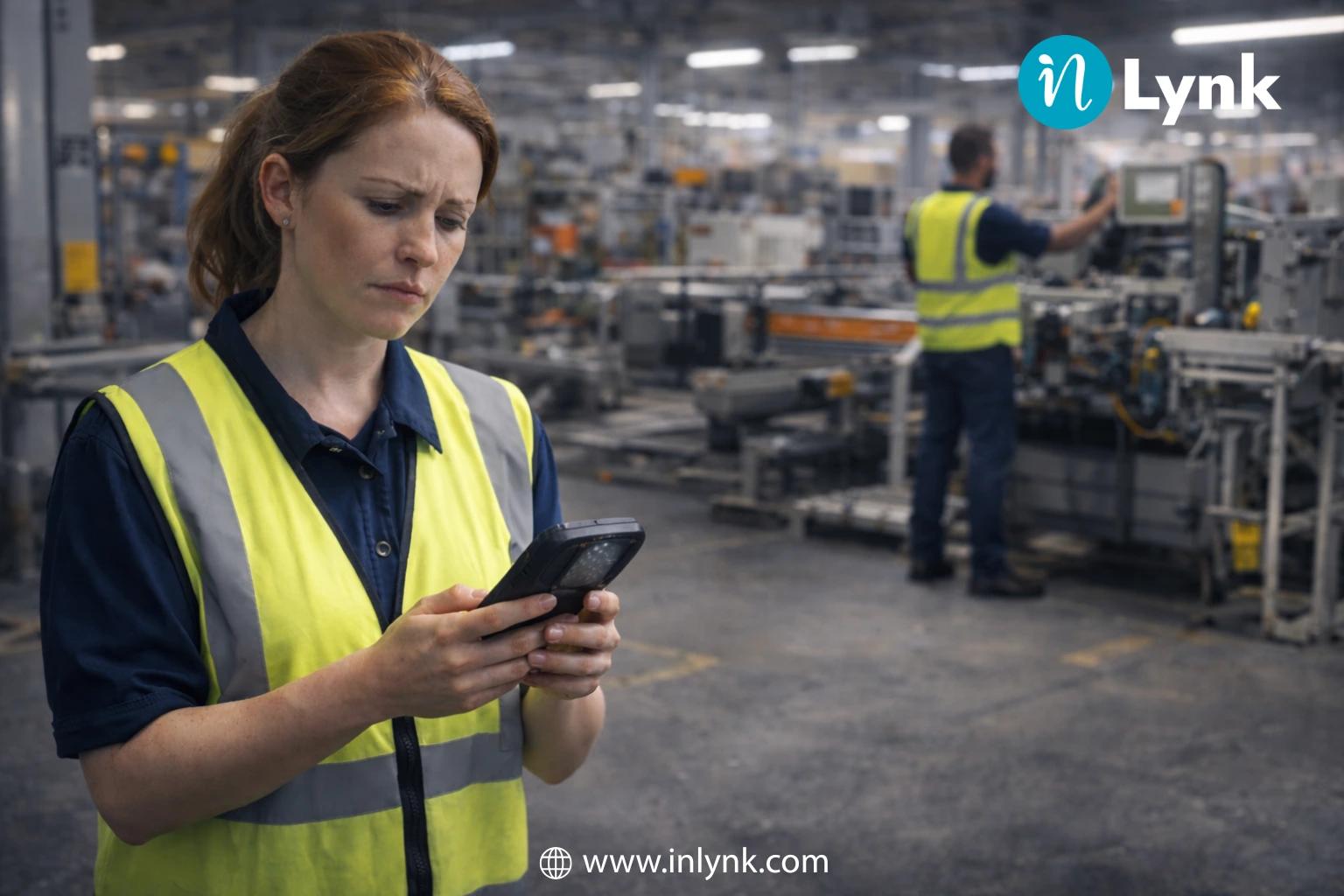
Most employee experience platforms promise better communication, stronger engagement, and a more connected workplace. Yet many organizations discover that these platforms gain little traction among the employees they need most their frontline workforce.
Whether it’s a retail associate helping customers, a warehouse operator managing inventory, a field technician visiting job sites, or a nurse caring for patients, frontline employees work in environments that are fast-paced, mobile, and operationally demanding. They rarely sit behind desks or check corporate emails throughout the day.
Unfortunately, many traditional employee experience platforms were originally designed with office-based employees in mind. Desktop-first interfaces, email-dependent logins, and one-way corporate announcements create unnecessary barriers for deskless teams, leading to low adoption and limited business impact.
The challenge isn’t that frontline employees resist technology they use digital tools every day. The real issue is that many organizations deploy platforms that don’t fit how frontline employees actually work.
In this guide, we’ll explore why traditional employee experience platforms often fail frontline workers, the common mistakes organizations make, and the practical steps to build a mobile-first digital workplace that employees genuinely use.
The Reality Check: Sarah’s Morning
It’s 7:30 on a Monday morning.
Sarah, a shift supervisor at a busy distribution center, is already halfway through her first round on the warehouse floor. A delivery truck has arrived early, one forklift needs maintenance, and a new employee is waiting for instructions. Before the day has properly started, she’s already making decisions that keep operations moving.
Meanwhile, the corporate office is just coming online. Teams are checking emails, joining Microsoft Teams meetings, and catching up on company updates over coffee.
Sarah’s morning looks nothing like that.
She doesn’t sit behind a desk. She doesn’t carry a company laptop. In fact, she rarely signs in to her work email because she hardly needs it to do her job.
A few days ago, the leadership team introduced an updated safety process through the company newsletter. From their perspective, the announcement had been shared with everyone.
Except it hadn’t reached Sarah.
She only found out during a casual conversation with another supervisor at lunch. By that point, several shifts had already continued following the old procedure.
Nobody ignored the update.
The problem was much simpler the message was delivered through a channel that frontline employees rarely use.
If you’ve worked in retail, manufacturing, healthcare, logistics, hospitality, construction, or field services, this situation probably sounds familiar. Important information often gets stuck at the office instead of reaching the people doing the actual work.
Although frontline employees make up nearly 80% of the global workforce, many businesses still rely on communication methods built for desk-based teams.
When updates depend on corporate email or desktop portals, the employees who need the information first are often the last to receive it.
The consequences go beyond communication. Delayed information affects productivity, employee engagement, workplace safety, and ultimately the customer experience.
Why Employee Experience Platforms Fail Frontline Workers
Most companies don’t invest in an employee experience platform expecting it to fail.
The goal is usually simple: improve communication, keep employees informed, and create a better workplace experience.
For office employees, many platforms achieve exactly that.
For frontline workers, it’s often a different story.
The issue isn’t that the software is bad. It’s that many employee experience platforms were originally designed around desk jobs, where employees spend most of their day in front of a computer.
That’s the opposite of how frontline teams work.
Whether someone is stocking shelves, caring for patients, repairing equipment, or managing deliveries, their priority is the job in front of them not logging into another workplace application.
When a platform doesn’t fit naturally into that routine, employees gradually stop using it.
Here are some of the biggest reasons.
Desktop First Design
Many traditional employee experience platforms assume employees have easy access to a laptop or desktop throughout the day.
Frontline workers usually don’t.
A warehouse operator, store associate, field engineer, or nurse spends their shift moving between tasks not sitting in front of a computer.
If finding an important update means locating a shared computer, logging in, and navigating several pages, most people simply won’t do it unless absolutely necessary.
The platform becomes something employees visit only when they’re told to not something that genuinely helps them during work.
Email-Dependent Access
Another common problem starts before employees even use the platform.
Many systems require a corporate email account, password, and multiple authentication steps.
That works well for office staff.
For frontline employees, it often creates unnecessary friction.
Some don’t have company email addresses at all. Others check them only occasionally. Even a forgotten password can turn into a support request that delays access for days.
Modern employee engagement platforms remove these barriers by allowing employees to sign in using a mobile number, employee ID, QR code, or secure magic link.
The easier it is to access the platform, the more likely employees are to use it consistently.
Communication That Only Goes One Way
Communication shouldn’t feel like reading a notice pinned to a wall.
Yet that’s exactly how many traditional platforms operate.
Leadership publishes announcements, employees read them, and that’s where the conversation ends.
Frontline teams need much more than that.
They need a simple way to ask questions, report safety issues, share updates from different locations, recognize coworkers, and coordinate with supervisors in real time.
When employees can’t contribute to the conversation, the platform quickly feels like another corporate broadcast channel instead of a useful workplace tool.
Too Many Apps for Simple Tasks
Ask a frontline employee how many workplace apps they use in a single shift, and the answer is often surprising.
One app for schedules.
Another for HR.
A different one for training.
Another for announcements.
And perhaps another for team communication.
Switching between multiple disconnected systems wastes time and creates frustration.
Instead of making work easier, technology starts adding more steps.
A modern, mobile-first employee experience platform should bring communication, collaboration, recognition, operational updates, training, and resources together in one place, so employees spend less time searching and more time working.
The Hidden Cost of a Disconnected Frontline Workforce
Poor communication isn’t always obvious at first.
It usually starts with small moments a missed update, an unanswered question, or an employee who doesn’t know where to find the latest information.
Individually, these issues seem minor.
Over time, they add up.
Teams begin relying on word of mouth instead of official communication. Important updates spread inconsistently between shifts. Managers spend valuable time repeating the same information, and employees gradually lose confidence in the systems meant to support them.
The business eventually feels the impact.
Platform adoption falls because employees stop opening tools they don’t find useful.
Critical information takes longer to reach different locations.
Productivity drops as workers jump between multiple applications searching for answers.
Employees who feel disconnected are more likely to leave, increasing hiring and training costs.
Even customers notice the difference when teams across locations operate with different information.
None of these problems happen because frontline employees aren’t engaged.
More often, it’s because the digital workplace wasn’t designed around the way they actually work.
Organizations that invest in a mobile-first employee experience platform—one that supports real-time communication, simple onboarding, and everyday operational needs—are far more likely to see stronger adoption, better collaboration, and a workforce that stays informed wherever work happens.
Why Traditional Employee Experience Platforms Don’t Work
Most employee experience platforms are introduced with good intentions. The goal is to improve communication, help employees stay informed, and create a better workplace experience.
For office teams, many of these platforms do exactly that.
For frontline employees, the experience is often very different.
The problem isn’t the technology itself. It’s that most platforms were designed around office routines, where employees have laptops, company email accounts, and regular access to desktop applications.
Frontline employees work differently. Their day revolves around customers, patients, machinery, deliveries, or field visits—not checking another workplace portal.
When a platform doesn’t fit naturally into that routine, employees gradually stop using it.
Here are some of the biggest reasons.
1. Logging In Shouldn’t Feel Like a Task
Imagine asking a warehouse associate or a retail employee to stop what they’re doing, find a shared computer, remember a password, and log in with a company email just to read an update.
For many frontline workers, that’s exactly what happens.
Some don’t even have corporate email accounts, while others only check them occasionally.
If simply accessing the platform becomes frustrating, employees are far less likely to return.
That’s why modern employee experience platforms are moving toward simpler sign-in options like employee IDs, mobile numbers, QR codes, or secure magic links. Less effort means higher adoption.
2. Employees Want Conversations, Not Just Announcements
Communication shouldn’t stop after leadership posts an announcement.
Frontline employees often have questions, ideas, and feedback that deserve attention. They need a way to report issues, share updates from different locations, recognize teammates, and ask supervisors for help without switching to another app.
When communication flows both ways, employees feel involved instead of simply being informed.
That small shift makes a big difference in engagement.
3. Too Many Apps Create More Work
A typical frontline employee might use one app for schedules, another for HR requests, another for training, and yet another for team communication.
None of these systems talk to each other.
Instead of saving time, employees waste valuable minutes jumping between applications or searching for information that should be easy to find.
A well-designed employee experience platform brings these everyday tasks into one place, reducing confusion and making work feel much more organized.
4. It Needs to Help Employees Do Their Job
Frontline workers don’t open workplace apps because they’re interested in company news.
They open them because they need something.
Maybe it’s today’s shift schedule.
Maybe it’s an updated SOP before starting a task.
Maybe it’s a safety guideline or a quick message from a supervisor.
When a platform helps employees solve everyday problems quickly, it becomes part of their routine instead of another system they’re expected to use.
That’s when adoption starts happening naturally.
Employee Experience Platform vs. Traditional Intranet
At first glance, an employee experience platform and a traditional intranet may seem similar because both are designed to improve workplace communication.
The difference becomes clear when you look at how employees actually use them.
Traditional intranets were created for office environments where employees spend most of their day on a desktop computer. Modern employee experience platforms are built for a workforce that’s spread across offices, stores, warehouses, hospitals, factories, and field locations.
| Feature | Traditional Intranet | Modern Employee Experience Platform |
|---|---|---|
| Primary Access | Desktop or web browser | Mobile-first with web access |
| Login | Corporate email and SSO | Mobile number, employee ID or QR code |
| Communication | Company announcements | Chats, feeds, communities and real-time updates |
| Employee Participation | Limited | Comments, recognition and collaboration |
| Content | Policies and documents | Training, resources, tasks and operational updates |
| Best For | Office-based employees | Office and frontline employees |
The biggest difference isn’t the number of features.
It’s accessibility.
An intranet expects employees to come to the platform.
A modern employee experience platform reaches employees wherever they’re working.
What Makes a Great Employee Experience Platform for Frontline Workers?
There’s no shortage of workplace platforms in the market today.
The real question isn’t which platform has the longest feature list—it’s which one employees will actually use every day.
For frontline teams, convenience matters more than complexity.
The right platform should let employees sign in within seconds, communicate instantly, find important documents without searching through multiple folders, and stay connected whether they’re in a warehouse, on a construction site, in a hospital, or visiting customers.
Some of the capabilities that make the biggest difference include:
- Mobile-first access, so employees can stay connected wherever work takes them.
- Simple onboarding using employee IDs, phone numbers, or QR codes instead of relying on corporate email.
- Real-time communication through chats, announcements, and team communities.
- A centralized knowledge hub for SOPs, policies, training materials, and important documents.
- Recognition and collaboration tools that encourage employees to celebrate achievements, share ideas, and support one another.
When communication, resources, and collaboration live in one place, employees spend less time looking for information and more time getting work done.
How to Build a Frontline First Employee Experience Platform
Improving frontline engagement isn’t about introducing more workplace apps—it’s about making communication and collaboration simpler. Organizations that successfully engage frontline employees focus on reducing friction and delivering the right information at the right time.
Here are three practical steps to get started.
1. Create One Digital Hub for Every Employee
Frontline employees shouldn’t have to switch between multiple apps to complete everyday tasks.
Instead, bring essential workplace resources together in one platform where employees can quickly access:
- Company announcements
- SOPs and training materials
- HR policies
- Shift updates
- Employee directory
- Team discussions
When employees know exactly where to find information, communication becomes faster and more consistent across every location.
Tip: Keep important updates pinned and organize resources by department or role so employees can find what they need within seconds.
2. Make Access Simple and Mobile First
If logging into the platform feels complicated, employees are unlikely to use it consistently.
A frontline first employee experience platform should remove unnecessary barriers by supporting mobile-friendly access through employee IDs, phone numbers, or QR-code onboarding.
Equally important, the experience should be optimized for smartphones. Whether an employee is working on a retail floor, at a manufacturing site, or in the field, they should be able to read announcements, join conversations, and access documents with just a few taps.
The easier the platform is to use, the higher the adoption rate.
3. Encourage Conversations, Not Just Announcements
Employee engagement grows when communication flows in both directions.
Instead of using the platform only to publish company news, create opportunities for employees to participate.
Encourage frontline teams to:
- Ask questions
- Share ideas and feedback
- Recognize coworkers
- Celebrate achievements
- Report operational challenges
- Participate in polls and discussions
These small interactions help build a stronger workplace culture while giving leadership valuable insights directly from employees working on the front lines.
Why a Mobile First Approach Makes the Difference
Frontline employees don’t need another workplace application—they need one that fits naturally into their daily routine.
A mobile-first employee experience platform helps organizations:
- Reach employees instantly with important updates.
- Reduce communication gaps between headquarters and frontline teams.
- Improve access to training and company resources.
- Strengthen collaboration across locations.
- Increase employee participation and recognition.
- Create a more connected and informed workforce.
When communication is simple, accessible, and relevant, employees are far more likely to stay engaged.
Ready to Improve Frontline Employee Engagement?
If your current employee experience platform isn’t delivering the engagement you expected, it may be time to rethink the employee experience from the frontline’s perspective.
A mobile-first platform that combines communication, collaboration, resources, recognition, and operational updates can help organizations create a more connected workplace without adding complexity.
Discover how inlynk helps organizations connect and engage frontline employees through a single digital workplace designed for today’s workforce.
👉 Book a personalized demo and see how a mobile-first employee experience platform can transform communication across your organization.
Conclusion
Frontline employees make up the majority of today’s workforce, yet many organizations continue to rely on employee experience platforms designed primarily for office environments. As a result, important updates are missed, engagement declines, and employees turn to disconnected tools that create more confusion than collaboration.
The solution isn’t simply adding more technology it’s choosing a platform that reflects how frontline employees actually work.
By prioritizing mobile-first access, two-way communication, and a unified digital workplace, organizations can improve employee engagement, simplify internal communication, and build stronger connections across every team.
When frontline employees feel informed, supported, and included, everyone benefits from individual teams to the organization as a whole.
Frequently Asked Questions
What is an employee experience platform?
An employee experience platform is a digital workspace that helps employees stay connected, informed, and productive throughout the workday. Instead of juggling separate apps for announcements, documents, training, and team communication, everything is available in one place. For organizations with both office and frontline employees, it creates a simpler and more consistent way to communicate across the business.
Why do employee experience platforms often fail frontline workers?
In most cases, it’s not because employees don’t want to use the platform. The real issue is that many traditional solutions were built around office routines. Frontline employees spend their day serving customers, operating equipment, visiting sites, or working on the shop floor—not checking emails or logging into desktop portals. If accessing information feels slow or complicated, people naturally look for faster alternatives. A mobile-first platform with simple sign-in options fits much better into the way frontline teams actually work.
Is employee experience the same as employee engagement?
Not quite. Employee experience is the overall journey someone has with an organization, from their first day to their everyday interactions, learning opportunities, communication, and career growth. Employee engagement is how connected and motivated they feel as a result of those experiences. When employees have the right tools, clear communication, and easy access to the information they need, engagement usually improves as well.
What should businesses look for in a frontline employee experience platform?
The best platform is one that employees can start using without a learning curve. Mobile access is essential because most frontline workers don’t spend their day at a desk. It’s also worth looking for features such as quick onboarding, real-time messaging, a central place for SOPs and training materials, employee recognition, role-based announcements, and secure document sharing. When these tools are available in one platform, it’s much easier for employees to stay connected and get their work done.