inlynk logo

Your Teams Aren't Slow — Your Tools Are Scattered

Most organizations use a messy mix of chat application groups, emails, phone calls, and multiple apps. Those result?

Buried Conversations

Messages get lost across groups in chat apps, emails, and calls.

Lost Information

Important decisions and files disappear in scattered apps.

Duplicate Work

Teams repeat tasks because responsibilities are unclear.

Disconnected Teams

Employees, partners, and field teams work in silos.

inLynk Collaboration solves scattered communication by bringing chats, calls, tasks, broadcasts, and file sharing into one unified workspace, so your team never loses track of messages, files, or responsibilities..

The Collaboration Hub Built for Modern Teams

No more scattered messages, one place where conversations stay organized and easy to follow.

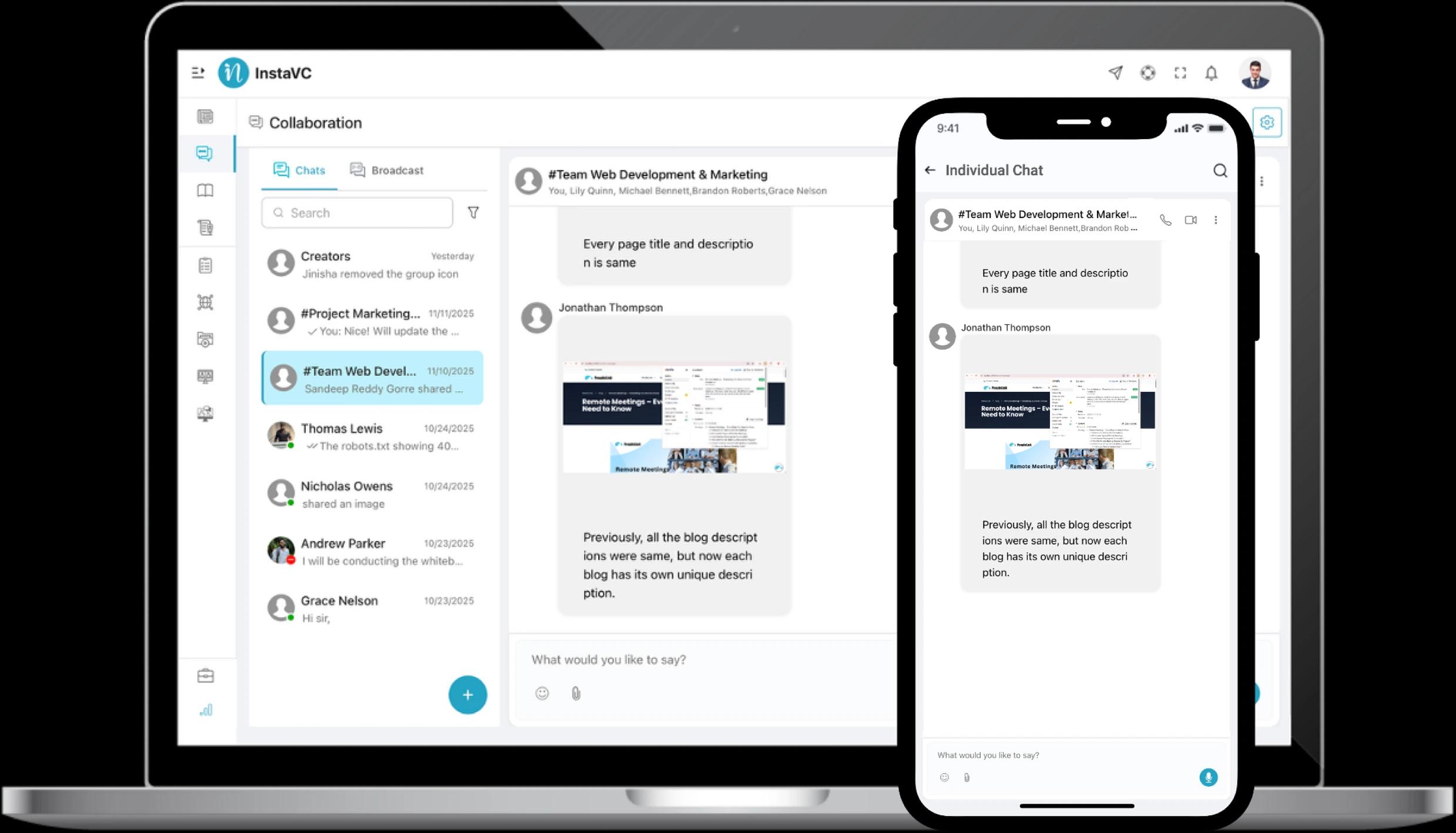
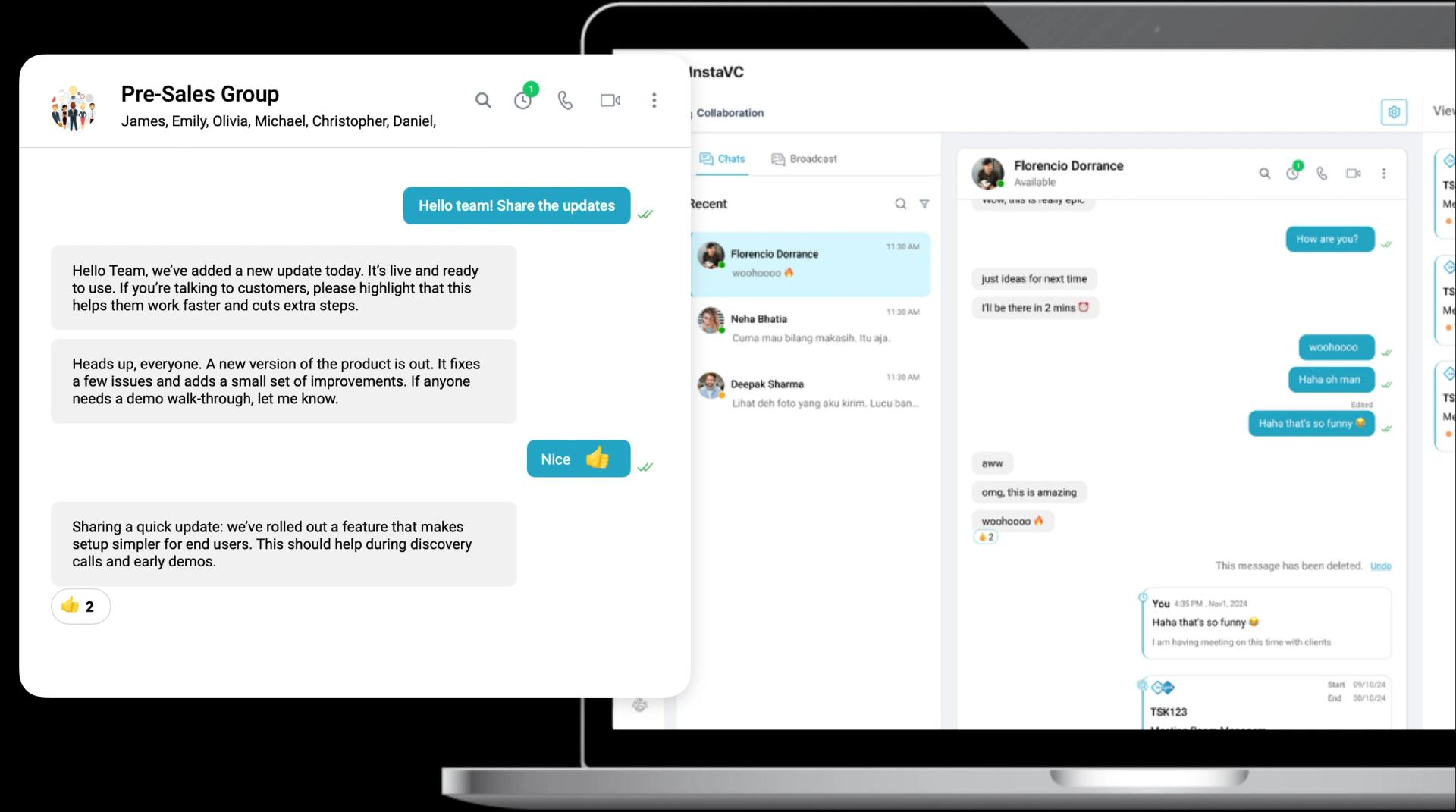
Smart Collaborative Chats

One space for focused conversations, shared files, and organized teamwork without scattered tools.
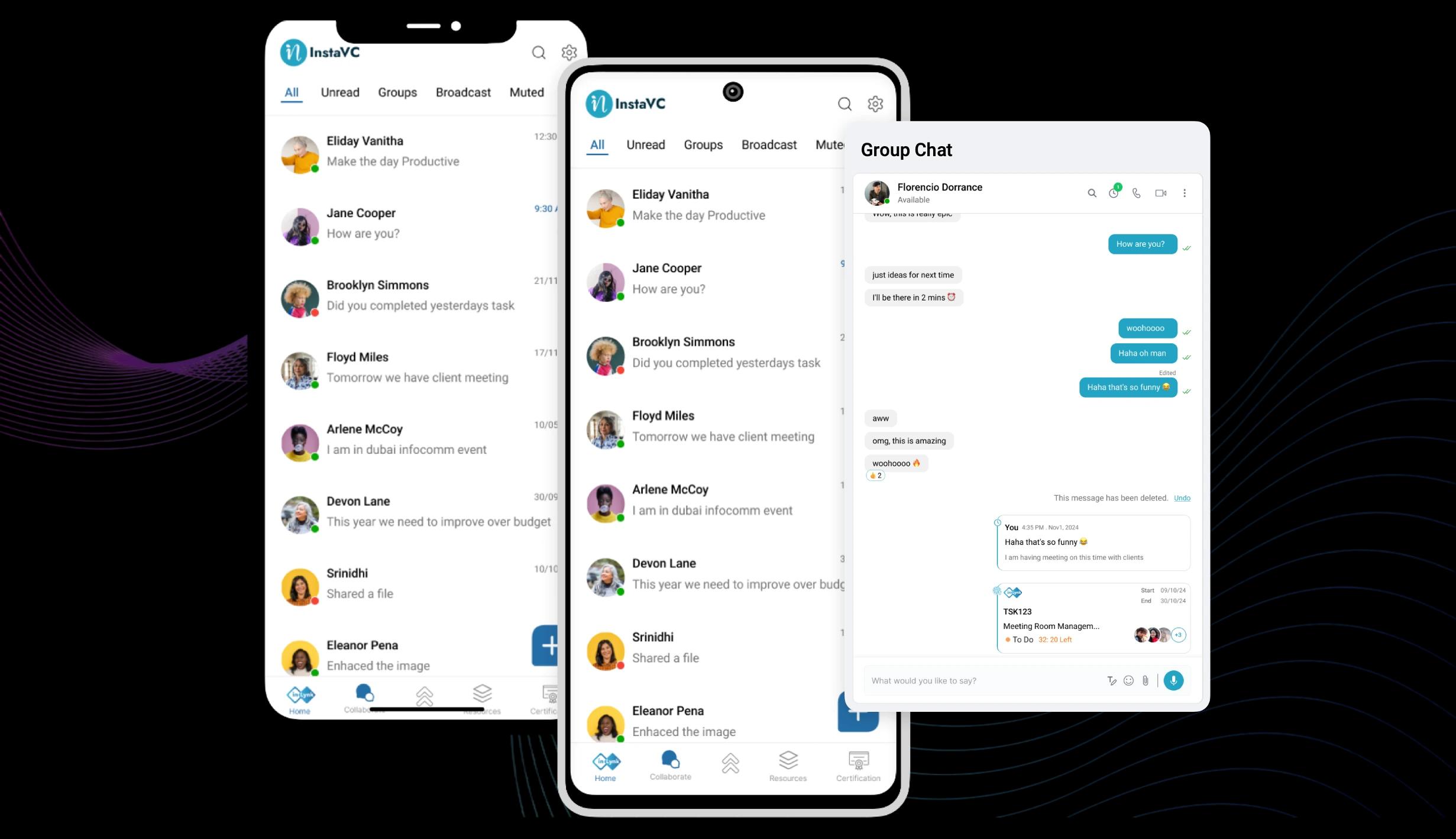
  • Have focused conversations with individuals or groups, all in one organized space that keeps teams aligned.
  • Share files, links, and updates directly inside chats with clear context
  • Create topic-based groups with controlled access for teams, partners, or projects.
  • Turn chat messages into actionable tasks so work never gets lost in conversation.
Smart Collaborative Chats

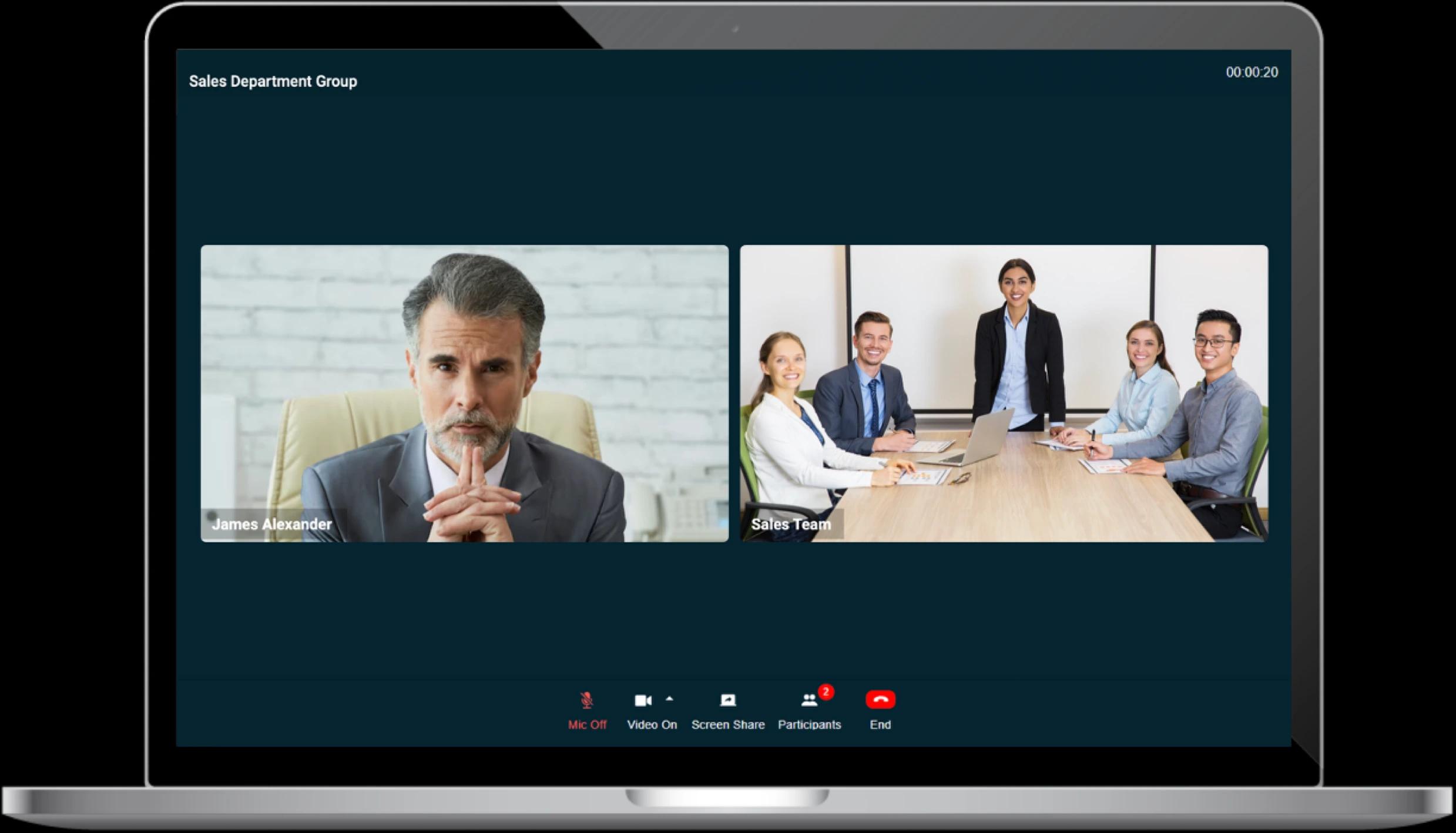
Audio & Video Group Meetings

Instant crystal-clear audio and video meetings, making decisions faster no matter where your teams are.
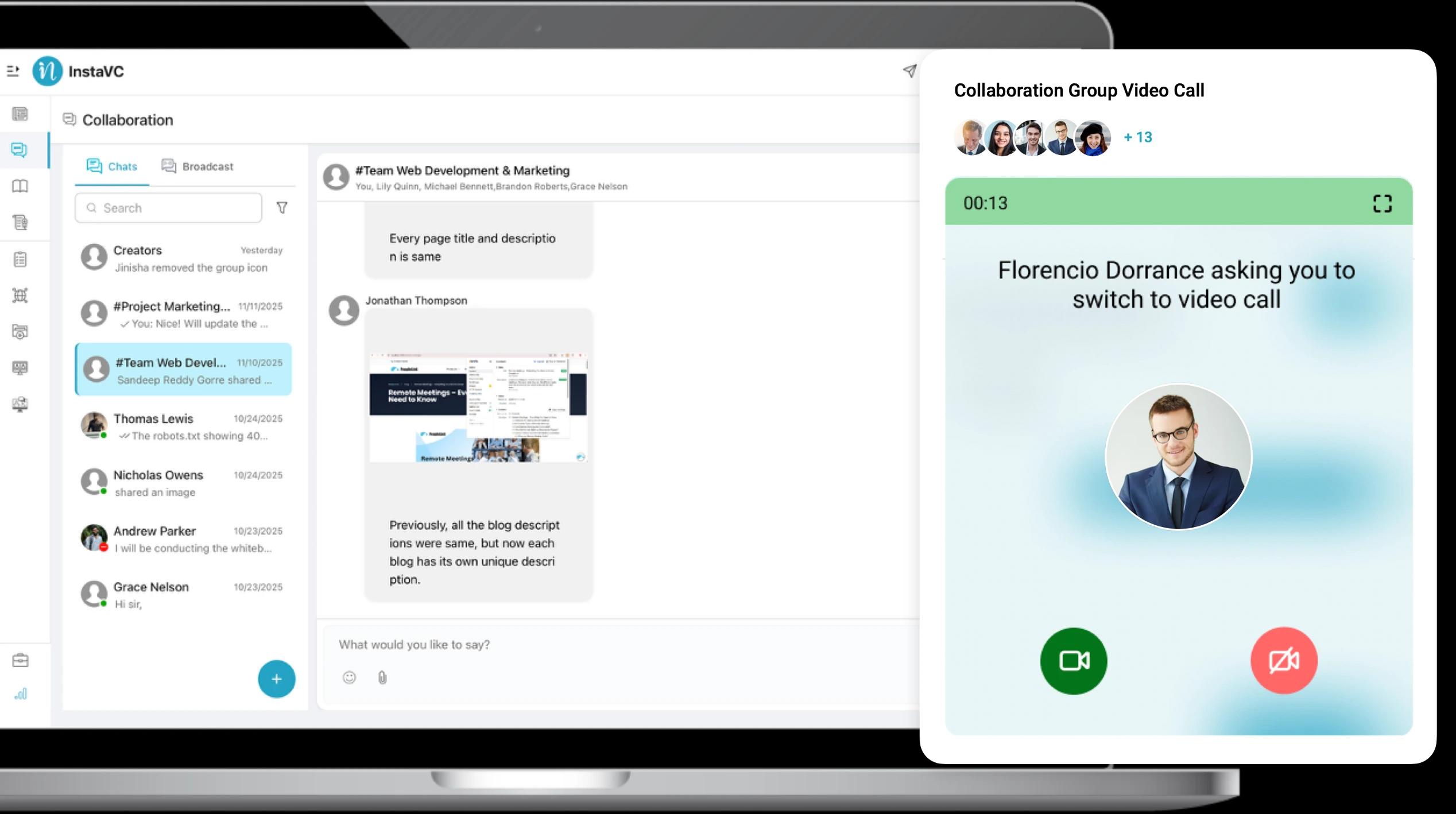
  • Instant audio/video group calls without switching apps.
  • Crystal-clear audio and smooth video, even on low bandwidth.
  • Present, brainstorm, and collaborate visually in real time.
  • Jump from chat to call seamlessly for clearer discussions.
HD Audio & Video Meetings

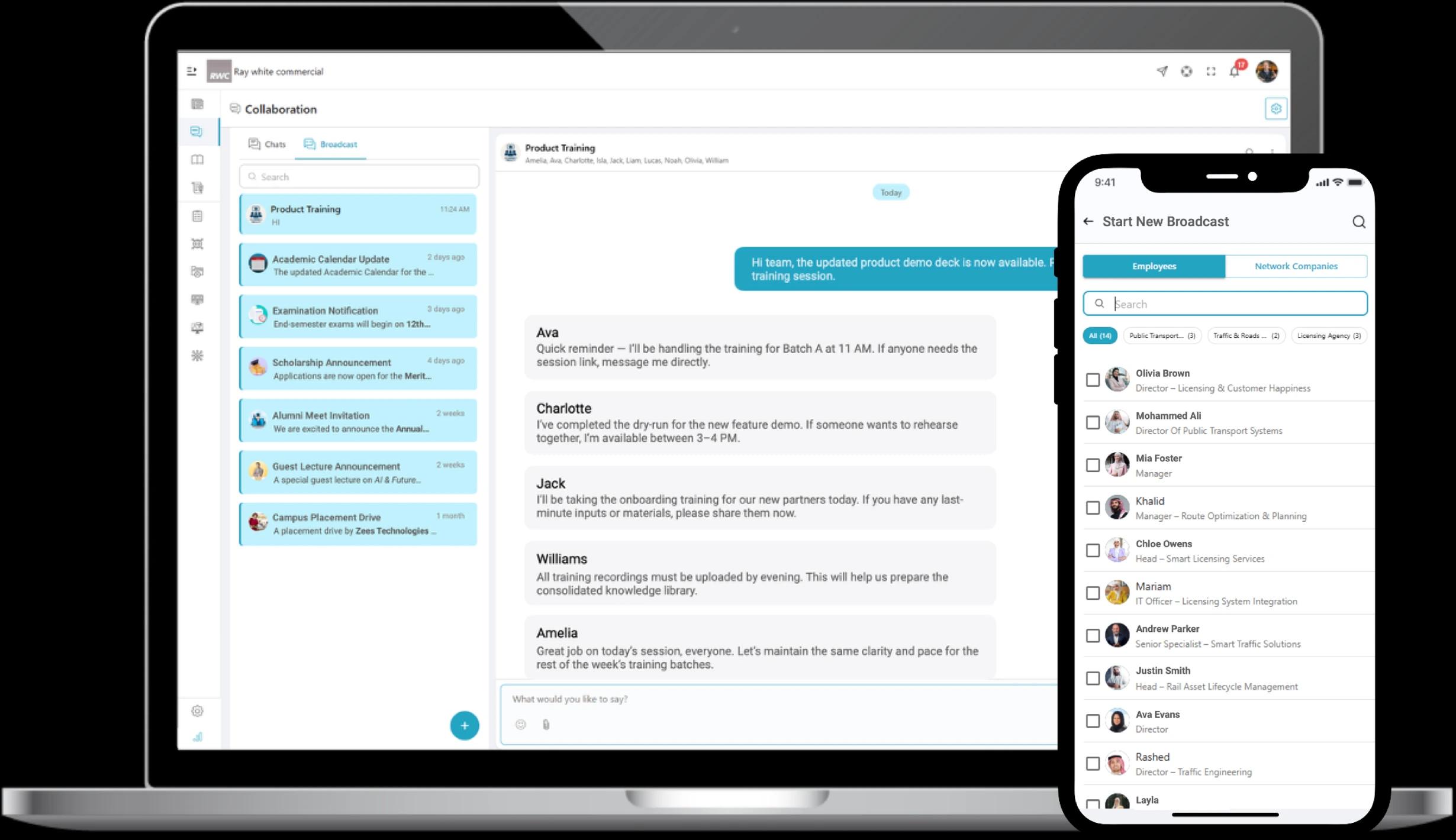
Instant Broadcast Messages

Deliver critical updates to everyone who needs them, instantly, accurately, and without message clutter.
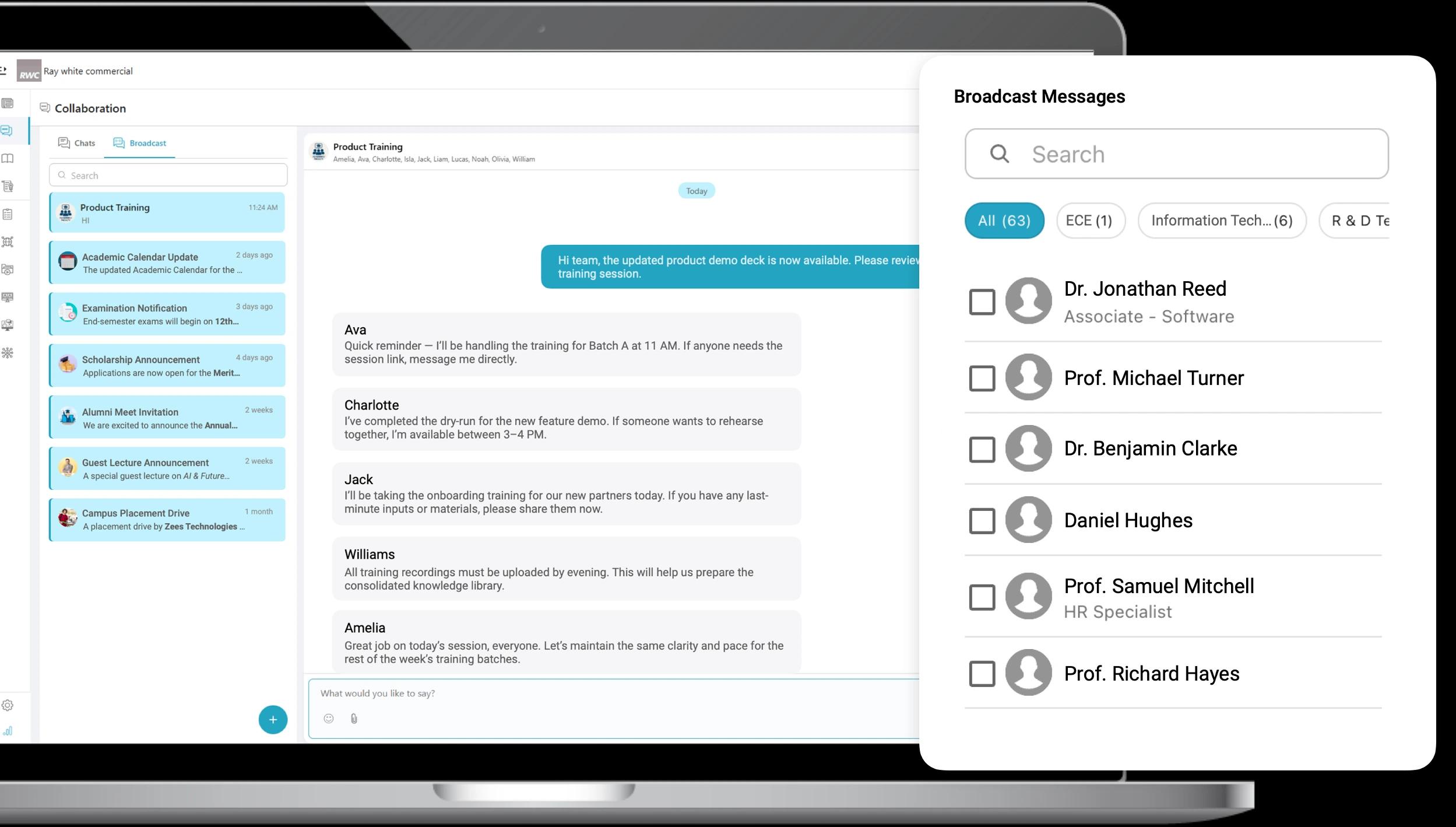
  • Deliver important updates instantly to employees and partners.
  • Prevent critical information from getting buried in chats or email.
  • Send targeted or organization-wide messages with full visibility.
  • Maintain a clean archive of past announcements for quick reference.
Instant Broadcast Messages

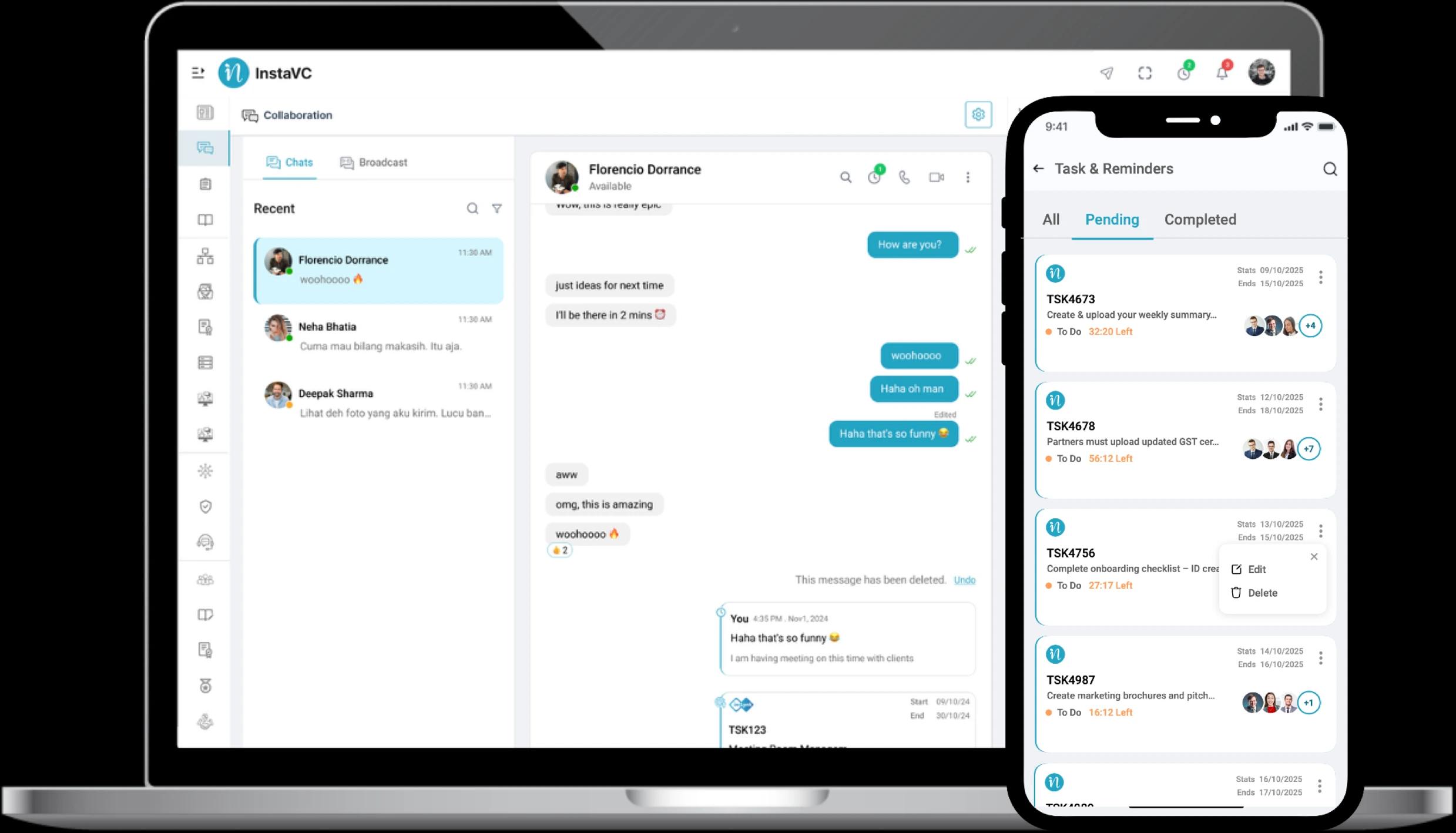
Easy Tasks & Reminders

Convert conversations into action with built-in tasks, deadlines, and reminders that keep work moving.
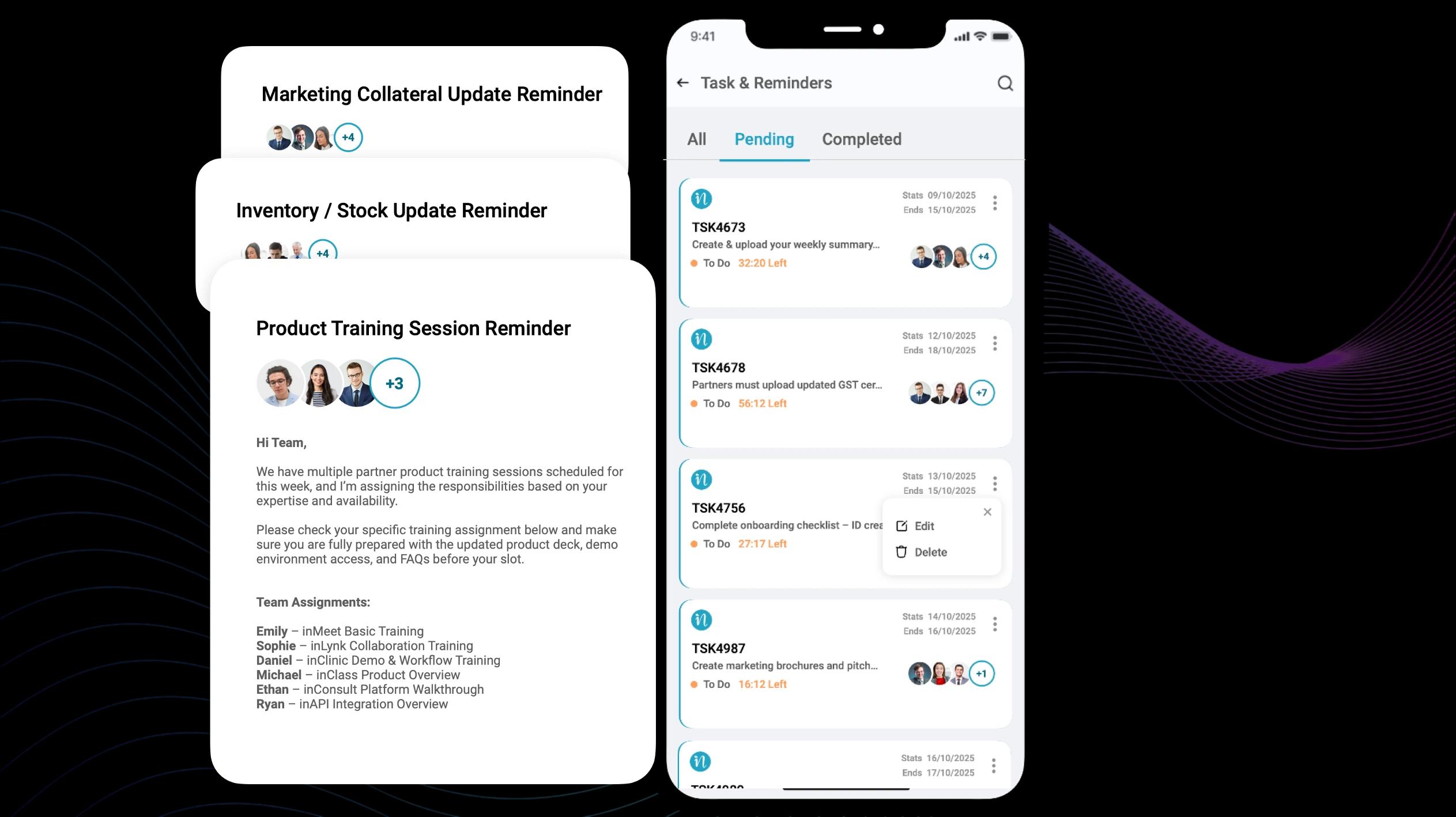
  • Convert chats into tasks with clear owners and deadlines.
  • Track progress and follow-ups with automated reminders.
  • Keep files and conversations linked to each task for clarity.
  • Create accountability with transparent task lists and updates.
Easy Tasks & Reminders

Work Feels Easier with inLynk Collaboration in One Place

A clean, shared space that helps your team get more done.

Clear Updates. No Mix-ups

Everyone sees the same info, so work moves faster with fewer slips and delays.

Everyone Stays on the Same Page

Teams, partners, and field crews move together, keeping projects on track and momentum growing.

Decisions Move Faster

Real-time chat and quick calls replace slow email chains, enabling fast approvals without delays.

Strong Team Connection

Clear updates and a shared space reduce team stress, boost focus, and steadily improve output.

Who Benefits The Most?

Collaboration Designed Around Real Business Needs
Close Deals Faster and Stay Aligned

  • Share updates instantly across the team.
  • Coordinate leads without confusion.
  • Manage approvals faster.
  • Stay connected on the go for smoother deals.
Close Deals Faster and Stay Aligned

Security and Compliance

Secure Communication, Powered by Role-Based Access Control
End-to-End Encryption

Regulatory Compliance

Role-Based Access Control

Audit Trails & Monitoring

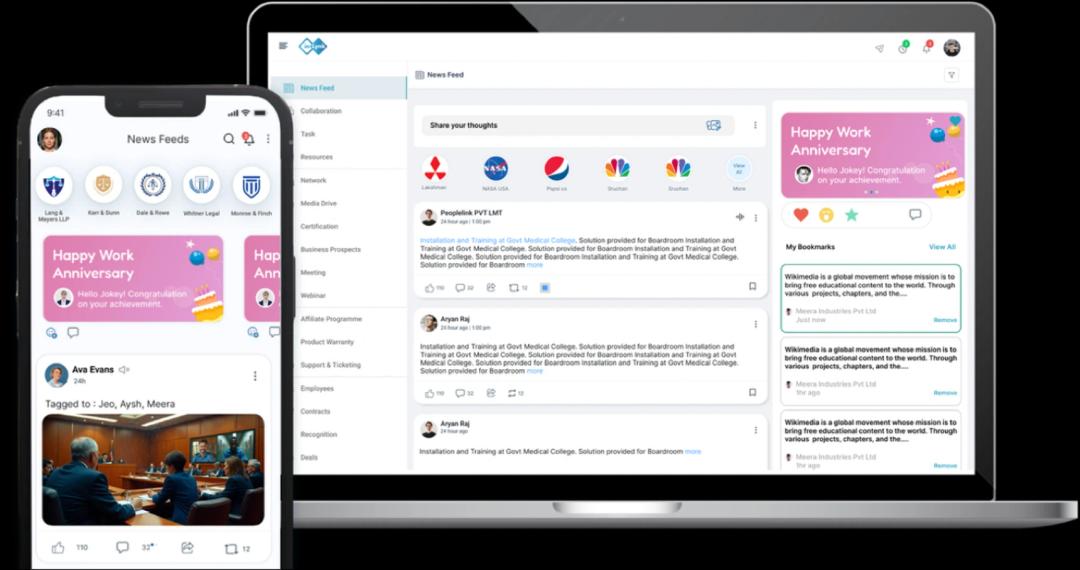
Transform the Way Your Organization Shares Information

News Feed CTA

Frequently Asked Questions

1. What is the inLynk Collaboration Module?
The Collaboration Module is an all-in-one workspace where employees, partners, and network companies can chat, call, meet, share files, assign tasks, and stay aligned without switching multiple apps.
How is inLynk different from regular chat or messaging apps?
Can I communicate with external partners or other companies through inLynk?
Does inLynk support audio and video meetings?
Can we create separate groups for teams, departments, or projects?
How do broadcast messages work?
Can I turn chat messages into tasks?
Is collaboration data secure?
9. Does inLynk reduce dependency on chat applications, emails, and scattered tools?
10. Can remote and field teams use the Collaboration Module?