
- Support
Submit a ticket - Help Center
- Partner
Become a Partner - Learn
Blog - What's New
- FAQs
- Support
 TalentNew
From raising a requisition to signing an offer, inLynk Recruit gives recruiters, hiring managers and interviewers one shared record — no spreadsheets, no separate inbox for approvals, no import job to keep candidates in sync.
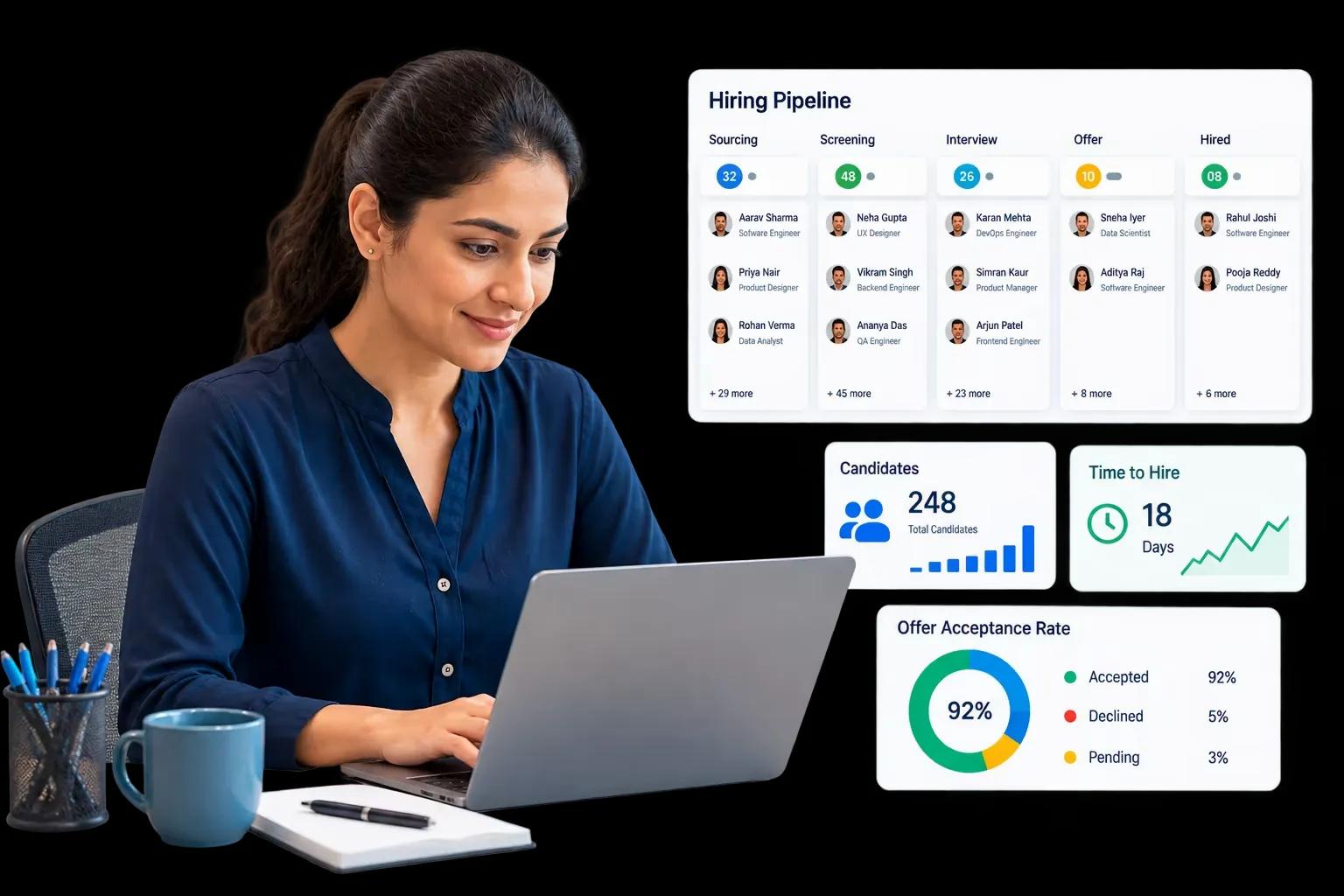
inLynk Recruit and inLynk Candidate sit over one database. There's no integration layer, no scheduled sync and no overnight window where the two sides can disagree — a recruiter's action is what the candidate sees on their next page load.
Candidate applies through the careers page or a direct invitation
Appears in the recruiter's pipeline, resume and attachments already linked
Assessment released, built from the question bank or AI screening rules
Candidate completes the assessment, with proctoring and auto-save
Recruiter reviews the result and per-question breakdown
Interview slots offered from real interviewer availability
Candidate books a slot in their own timezone
Feedback submitted, then approved by a recruiter or admin
Offer drafted, signed and accepted, pre-joining reminders begin
The 20 Recruit modules group naturally into four parts of the job. Open a tab to see what each one covers.
Organisation configurability is preferred over hard-coded behaviour. Approval chains, pipeline stages, permissions, assessment rules, proctoring strictness, grade bands, email templates and calendar policy are all configurable — and these capabilities stay dormant until you switch them on.
Automatic extraction of contact, experience, education and skills into a pre-filled candidate form.
Resume-versus-job scoring across four dimensions, with configurable weighting and grade bands.
Built-in interview rooms with host and participant links, provisioned automatically per interview.
Post to LinkedIn, Naukri, Indeed and Glassdoor from the same job record, credentials stored encrypted.

* All product names, logos, and brands are property of their respective owners. Used here for illustrative purposes only.
Security controls apply across the whole platform, not to a single screen — every query is scoped to the organisation, with no global bypass.
Multi-tenant architecture — every query scoped to the organisation, with no global bypass
Files held in private object storage, reachable only by expiring links
Short-lived access tokens with silent renewal, revoked immediately on sign-out or deactivation
Rate limiting on every public, unauthenticated surface, plus IP allow-listing for trusted venues
Full audit trail with actor, IP, before and after values, plus immutable application status history
Content sanitisation on all rich text, and standard error handling that never leaks internal detail
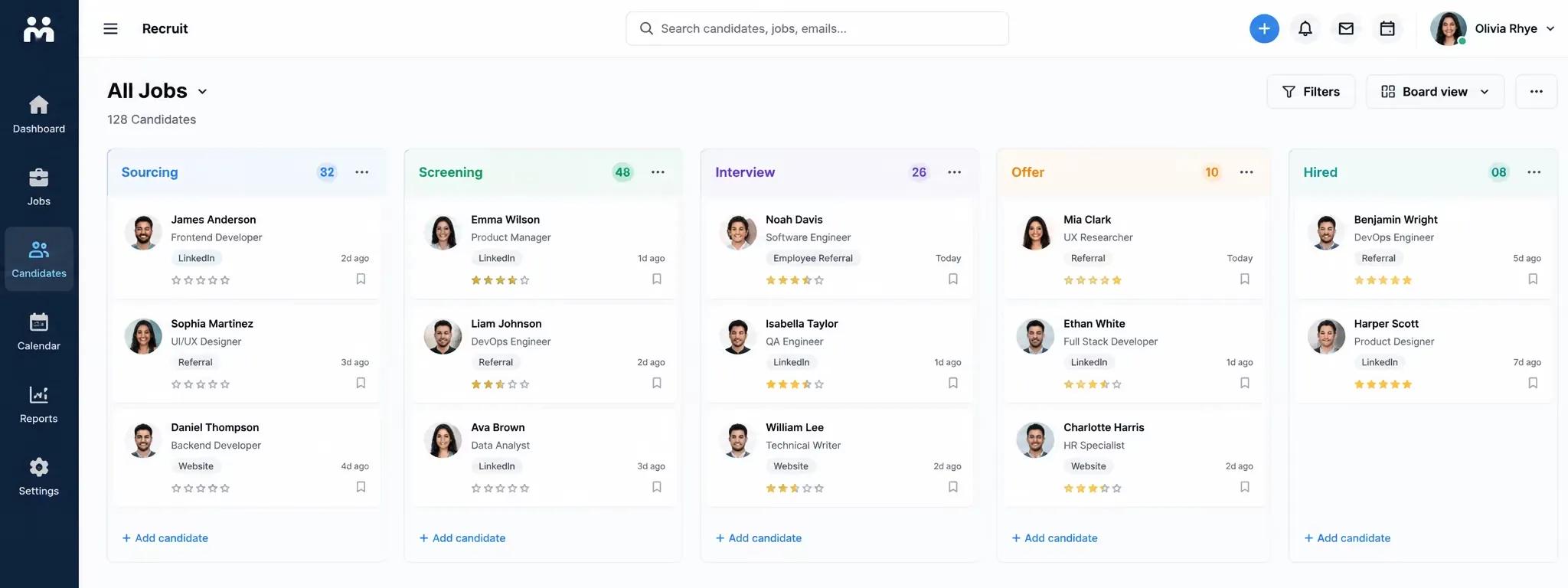
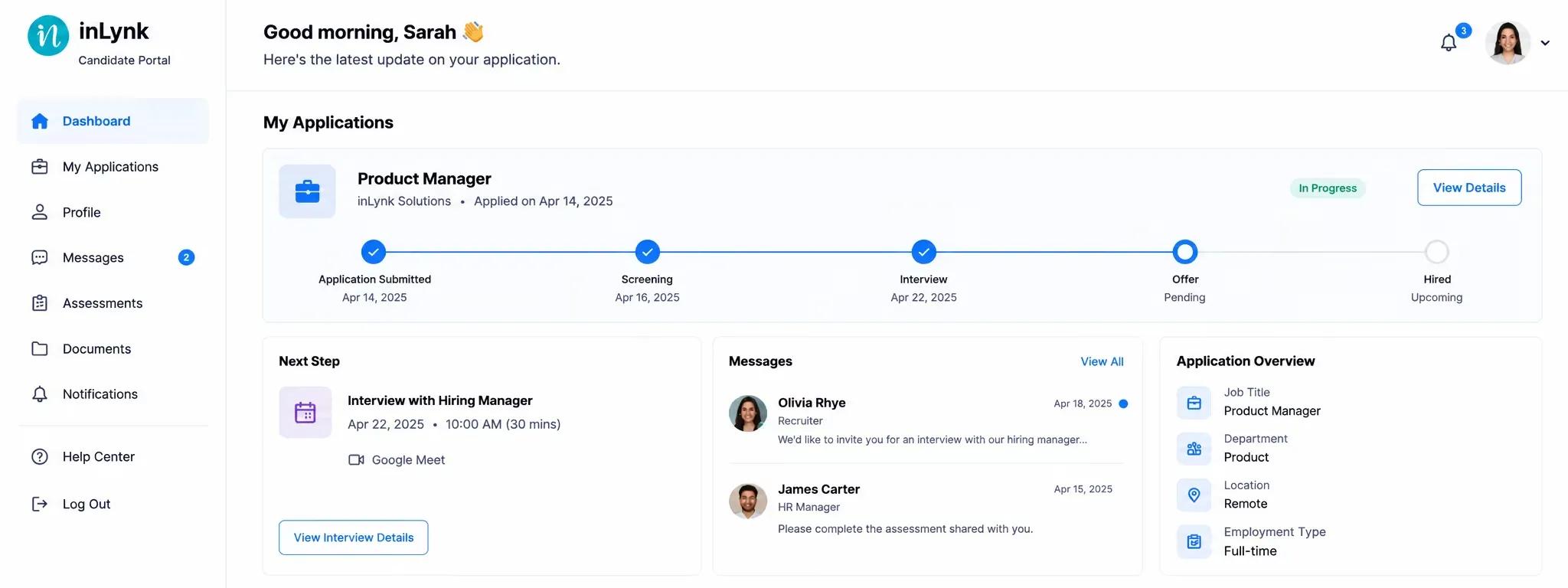
inLynk Candidate is the applicant's own portal: browsing jobs, sitting assessments, booking interviews and accepting offers. Because both products share one database, there's nothing to keep in sync — a recruiter moving a card, releasing a result or approving feedback is what the candidate sees next.
See how it connectsRecruit — moves a card, releases a result, approves feedback
Candidate — sees the update on their next page load
Tell us about your hiring team and requirements — Recruit or Candidate, one module or the full platform — and we'll get back to you.
Common questions about how Recruit and Candidate work together, what's configurable, and how your data is kept secure.
Twenty modules, one shared record with inLynk Candidate, and nothing switched on until you configure it.
Book a demo