

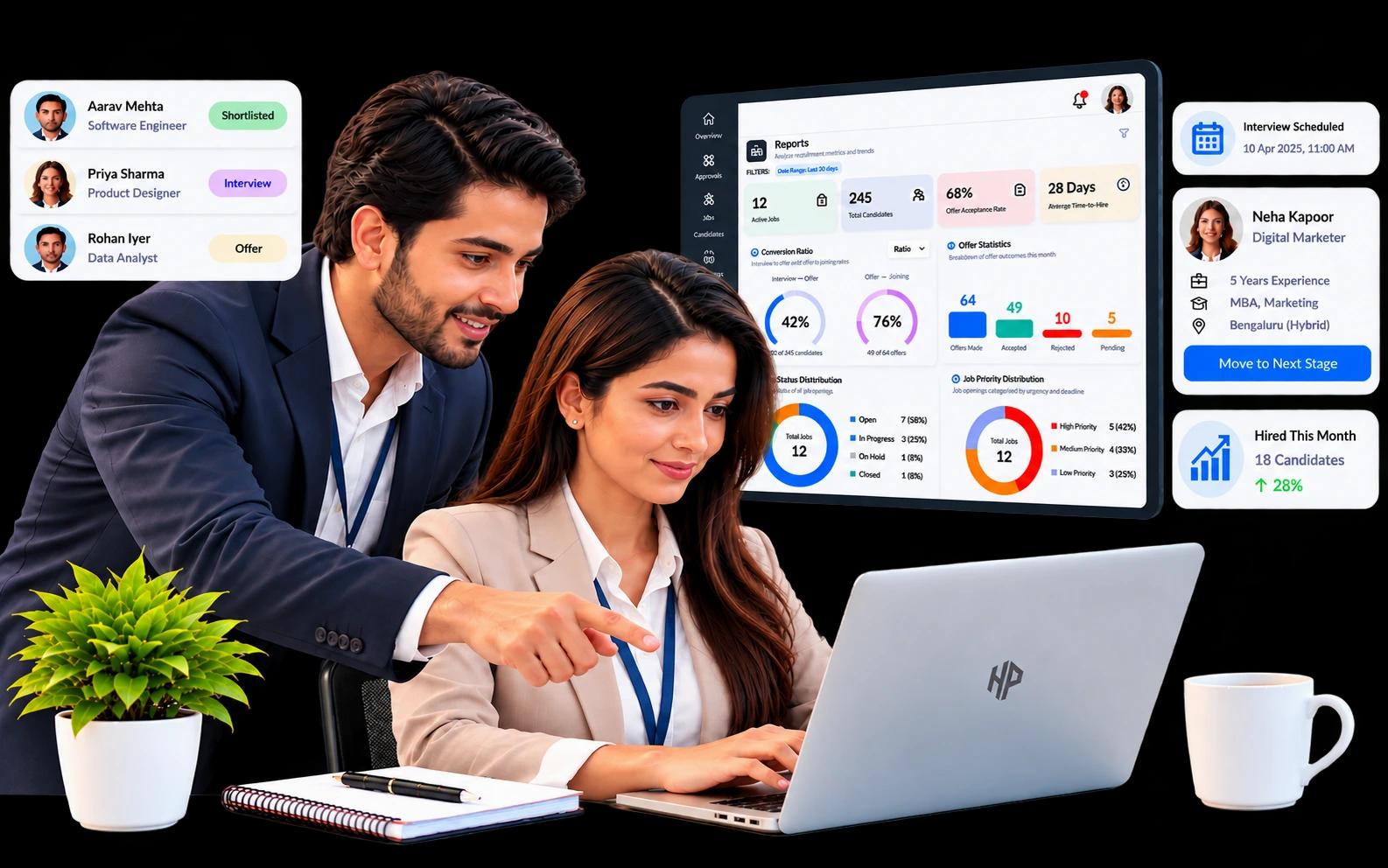
Recruitment management software helps businesses manage the entire hiring process, from creating job openings and reviewing applications to conducting interviews and preparing offers. It brings recruitment activities into one place, making it easier for HR teams to organise candidate information, coordinate with hiring managers, and track hiring progress.
Unlike basic applicant tracking system software, which mainly focuses on managing applications and tracking candidates, recruitment management software can cover a wider range of hiring activities. It helps recruiters manage workflows more efficiently, stay updated on pending tasks, and make informed hiring decisions.
What Is Recruitment Management Software?
Recruitment management software is a digital platform that helps HR teams manage the different stages of hiring. Depending on the product, it can cover job creation, hiring approvals, candidate screening, assessments, interviews, offer management, and recruitment reports.
Consider a company hiring a sales manager. The recruiter needs approval to open the position, a clear job description, a way to collect applications, and a process for deciding which candidates should move forward. After the interviews, the team must record its decision and prepare an offer.
Recruitment management software brings these activities into a connected process. Instead of maintaining separate records for every step, the team can work from shared recruitment information.
Some platforms focus mainly on applicant tracking. Others include additional tools for assessments, interview scheduling, approvals, and reporting. The features available depend on the software and the organisation’s configuration.
Why do businesses use recruitment management software?
Hiring becomes harder to manage when several vacancies are open at the same time. A recruiter may be reviewing resumes for one role, arranging interviews for another, and waiting for an approval on a third.
A recruitment platform can help teams:
- Keep candidate records together: Store resumes, contact details, skills, and application information in one place.
- Follow a clear hiring process: Track candidates as they move through screening, interviews, and offer stages.
- Coordinate with hiring managers: Assign responsibilities and record feedback without relying entirely on email conversations.
- Manage assessments: Organise questions, candidate responses, scores, and results where assessment features are available.
- Review hiring progress: Use reports to see how many applications are at each stage and where work may be getting delayed.
Recruitment efficiency also matters when vacancies remain open for too long. SHRM’s 2025 recruiting benchmarking research reported a median time to fill of approximately a month and a half. A recruitment platform cannot remove every cause of delay, but it can give teams a clearer view of pending tasks and decisions.
How Does Recruitment Management Software Work?
The process varies between organisations, but most recruitment platforms support a series of connected activities.
Step 1: Open a job vacancy
The recruiter creates a job opening and adds details such as the job title, department, location, experience, salary range, and required skills. Depending on the platform, the vacancy may need approval before it can be published.
Step 2: Collect applications
Candidates apply through a careers website, a job-board link, or an invitation from the recruitment team. Their application details and resumes are stored against the relevant opening.
This gives recruiters a central place to review applicants instead of searching through different inboxes and files.
Step 3: Review and shortlist candidates
Recruiters compare applicants’ qualifications, experience, and skills with the requirements of the role. Some platforms offer resume parsing or AI-assisted candidate scoring to help with the initial review.
These features can save time, but recruiters still need to check the information and make decisions using relevant job criteria.
Step 4: Arrange assessments and interviews
Depending on the role, candidates may complete an online test, a technical assessment, or another evaluation. Recruiters then arrange interview rounds, check interviewer availability, and collect feedback.
A shared record helps the team understand what has already happened and what needs to happen next.
Step 5: Prepare and manage the offer
When the team selects a candidate, the next steps may include confirming compensation, obtaining approval, preparing the offer letter, and recording the candidate’s response. Some systems also support document verification and pre-joining reminders.
Step 6: Review the results
Recruitment reports help HR managers review application numbers, candidate progress, interview activity, and hiring outcomes. The team can use this information to identify recurring delays and decide where the process needs improvement.
Key Features of Recruitment Management Software
Not every business needs the same recruitment tools. A small team hiring for a few positions may need basic applicant tracking, while a larger organisation may require approvals, assessments, multiple interview rounds, and detailed reports.
Here are the features worth examining.
Job requisitions and approval workflows
Before a vacancy goes live, the organisation may need to confirm headcount, salary, department, and hiring responsibility. Recruitment software can record these details and route the request through the required approval steps.
This is particularly useful when several managers must approve a new position.
Applicant tracking system software
Applicant tracking system software helps recruiters organise applications and follow candidates through the hiring pipeline. A typical pipeline may include application, screening, interview, offer, hired, and rejected stages.
Recruiters can check a candidate’s current status, review the application history, and see which applicants need attention.
Candidate profiles and resume parsing
Candidate management features keep information such as contact details, employment history, education, skills, and resumes together. Where resume parsing is available, the software can extract information from a resume and use it to pre-fill a candidate profile.
Recruiters should still review the extracted details. Incorrect or incomplete information can affect the quality of an assessment.
Recruitment workflow automation
Some recruitment tasks follow the same pattern every time. For example, a candidate may need an interview confirmation, a recruiter may need an approval notification, or an applicant may need a reminder before an assessment.
Recruitment automation can handle selected tasks like these, depending on the system. It allows recruiters to spend less time on routine administration and more time evaluating candidates and working with hiring managers.
Assessment and interview management
Assessment tools may let recruiters create questions, set marks, configure pass criteria, and review candidate results. Interview management features can help schedule meetings, assign interviewers, and collect structured feedback.
For roles that require specific technical or professional skills, these capabilities can make the evaluation process easier to organise.
Offer management and document verification
The hiring process does not end when an interviewer recommends a candidate. The team may still need approval for the offer, confirmation of terms, signatures, and supporting documents.
Depending on the platform, these tasks can be managed through offer workflows and document verification features.
Recruitment reports and analytics
Recruitment reporting gives HR teams a view of activity across vacancies and candidates. Useful measures may include applications by stage, interviews scheduled, pass and fail rates, and conversion from application to hire.
Reports are most useful when the organisation defines its metrics consistently and reviews them regularly.
Looking to simplify your hiring process? Discover how recruitment management software can help your team manage candidates and hiring workflows more efficiently. Explore inLynk Talent.
Benefits of Recruitment Management Software
The main benefit of recruitment software is that it gives the team a more organised way to manage hiring. The practical results depend on the quality of the recruitment process and how well the software fits the team’s needs.
Less time spent on administration
When candidate information, interview details, and hiring records are stored together, recruiters spend less time switching between files and searching for updates.
A clearer view of every vacancy
Recruiters can see which candidates are waiting for screening, which interviews are pending, and where a hiring decision is needed. This makes follow-up easier.
Better coordination between teams
Recruiters, hiring managers, and interviewers can work with the same recruitment records, with access controlled according to their roles.
More consistent candidate evaluation
Structured assessments and feedback forms help teams assess candidates against agreed requirements rather than relying only on informal notes.
More reliable candidate communication
Interview confirmations, assessment invitations, and other notifications help candidates understand what is expected of them and what happens next.
Useful information for future hiring
Recruitment reports can show where candidates drop out, which stages take longer, and how hiring activity changes over time. HR teams can use these findings when reviewing their process.
Software will not solve every recruitment problem. Unclear job requirements, slow approvals, and delayed feedback can still hold up hiring. The platform works best when the organisation also has clear responsibilities and timely decision-making.
Recruitment Management Software vs. Applicant Tracking System Software
Recruitment management software and applicant tracking system software are closely related. The distinction usually comes down to the range of activities the platform supports.
| Comparison Factor | Recruitment Management Software | Applicant Tracking System Software |
|---|---|---|
| Main purpose | Manage a wider range of recruitment activities | Organise applications and track candidates |
| Job openings | May include job creation, headcount, and approvals | May include job requisitions and approvals |
| Candidate records | Maintains candidate profiles and application details | Organises applicant profiles and applications |
| Hiring pipeline | Connects different stages of the recruitment process | Tracks candidates as they move between stages |
| Assessments | May support test creation, scoring, and results | May include assessments or connect with assessment tools |
| Interview scheduling | May manage interview rounds and availability | May provide scheduling features or integrations |
| Offer management | May support approvals, offer letters, and signatures | May include offer management, depending on the product |
| Reporting | May cover several recruitment activities and hiring metrics | Commonly covers applications and pipeline progress |
| Best fit | Teams that need connected recruitment workflows | Teams that mainly need application and candidate tracking |
Which one should you choose? If your main requirement is to collect applications and track candidates, a straightforward ATS may be enough. If you also want to manage job approvals, assessments, interview scheduling, offers, and reporting in connected workflows, look for a platform that supports those additional activities.
The product name alone does not tell you everything. Some modern ATS products include most of the features associated with broader recruitment management software, so compare the actual capabilities before making a decision.
How to Choose the Right Recruitment Software
Before comparing vendors, write down the recruitment problems your team faces today. Perhaps applications are difficult to track, interviews take too long to arrange, or hiring managers often miss approval requests. These problems can help you decide which features matter most.
Use the following checklist when reviewing recruitment software:
- List your hiring needs. Decide whether you need basic application tracking or support across the wider hiring process.
- Check the core features. Review candidate management, job approvals, assessments, interviews, offers, and reporting.
- Test the user experience. Ask recruiters and hiring managers to try common tasks, such as reviewing an application or scheduling an interview.
- Understand the automation. Check which activities happen automatically and which still require manual action.
- Review security and permissions. Look for role-based access, audit records, and secure handling of candidate documents.
- Check integrations. Confirm that the software supports the job boards, email services, careers pages, and other tools your team uses.
- Review reports. Make sure the system can provide the information your team needs to measure hiring progress.
- Compare cost and future needs. Consider the total cost, expected hiring volume, and whether the platform can support your organisation as it grows.
A product demonstration is useful, but testing a real hiring scenario is even better. Create a sample vacancy, move a candidate through the pipeline, schedule an interview, and see how the records are updated. This will help you spot practical limitations before committing to a system.
How inLynk Supports the Recruitment Process
inLynk brings recruiter activities and the candidate experience together through two connected applications: inLynk Recruit and inLynk Candidate.
inLynk Recruit: The recruiter’s workspace
inLynk Recruit is designed for recruiters, hiring managers, interviewers, and administrators. Its documented capabilities include:
- Creating job openings and managing approval workflows.
- Maintaining candidate profiles, resumes, and applications.
- Using optional AI resume parsing and AI-assisted candidate screening.
- Creating question banks and assessments, and reviewing results.
- Scheduling interviews and collecting interviewer feedback.
- Managing offer approvals, offer letters, and electronic signatures.
- Verifying candidate documents and tracking recruitment activity through reports.
- Controlling access through roles, permissions, and audit logs.
inLynk Candidate: The applicant’s portal
inLynk Candidate gives applicants a place to browse available jobs, apply, track their application progress, complete assessments, select interview slots, review offers, and upload requested documents.
The two applications use a shared data model. When a recruiter updates a candidate’s record or releases an assessment result, that change is reflected in the connected recruitment record rather than waiting for a separate scheduled data import.
For organisations looking to manage both sides of recruitment, this setup provides a connected way to handle recruiter tasks and candidate activities. Some capabilities, including AI screening and integrations, are optional and may need to be configured before use.
Want to see how connected recruitment workflows work in practice? Discover how inLynk Recruit and inLynk Candidate support the hiring journey from application to offer. Request a personalized demo.
Conclusion
Recruitment management software gives HR teams a more organised way to handle the work involved in hiring. It can connect job approvals, candidate tracking, assessments, interviews, offers, and reporting, making it easier to see what has happened and what still needs attention.
The right choice depends on your hiring process. Some teams need only an applicant tracking system, while others benefit from a platform that supports several recruitment activities from start to finish.
With inLynk Recruit and inLynk Candidate, organisations can manage recruiter workflows alongside the candidate’s application and hiring journey. Reviewing the available features against your own requirements is the best way to determine whether the platform is a suitable fit.
Frequently Asked Questions
What is recruitment management software used for?
Recruitment management software helps HR teams manage job openings, applications, candidate screening, assessments, interviews, offers, and recruitment reports. The available features depend on the product.
How is recruitment management software different from HR recruitment software?
The terms often overlap. Both can describe software used by HR teams to manage hiring. Rather than relying on the name, check whether the platform supports the tasks your organisation needs.
Is applicant tracking system software the same as recruitment management software?
Not always. An ATS generally focuses on applications and candidate progress. Recruitment management software may cover more activities, such as job approvals, assessments, interviews, and offers. Many modern ATS platforms also include these features.
What features should recruitment software include?
Start with candidate management, application tracking, job requisitions, and recruitment reporting. Depending on your process, you may also need approval workflows, resume parsing, assessments, interview scheduling, offer management, and document verification.
Can recruitment management software automate the hiring process?
It can automate selected tasks, such as notifications, reminders, approval steps, and some screening activities. The available automation varies by product, and recruiters should continue to review important decisions.
Is cloud-based recruitment software suitable for small businesses?
It can be a good option for small businesses that want to manage candidate information and hiring tasks in one place. Before choosing a platform, compare its cost, ease of use, security, and the features you actually need.